
5 Critical Steps For Activating ICT Services For Makerere Freshers
You are here
By Arthur Moses Opio
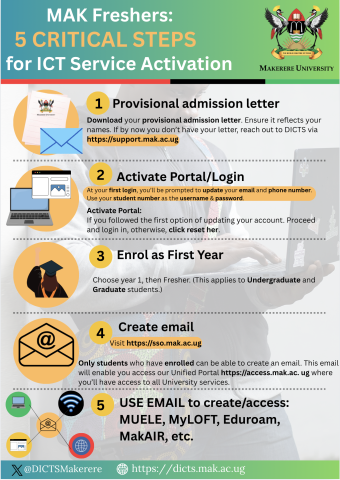
As part of the digital transformation agenda at Makerere University.
The Directorate for ICT Support(DICTS) has embarked on an aggressive pursuit of documenting most systems and business processes to support and increase adoption of the services.
Every year Makerere admits thousands of students and among there are students who don’t know their way around ICT and digital literacy.
The short and quick guides come in handy to support them in the most easiest way possible. In this guide, we share five critical steps to activating their key ICT services.
The first step is to download the provisional admission letter.
- Step 1: Log into the admission portal https://apply.mak.ac.ug
- Step 2: When logged in, Locate Admission History. This is on the left pane under your profile.
- Step 3: You will see a blue button DOWNLOAD PROVISIONAL LETTER Click it and a new tab will open with your Provisional Letter.
- Step 4: Your Provional Letter will look like the picture below. It has your key details name, registration number, student number, Gender, Hall, etc.
Guideline on how to dowload.
Category:
