
Tuition Allocation On Student Portal
You are here
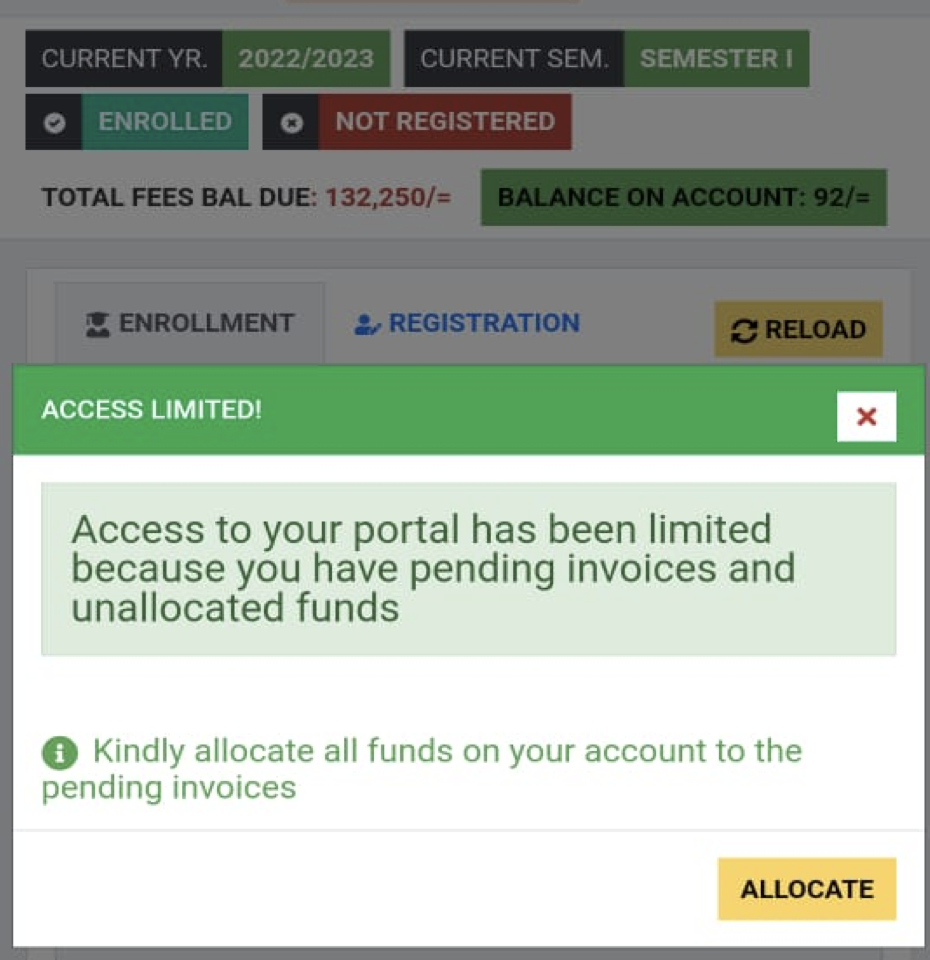
You may have tried logging in to your student portal account and the system displayed an alert that “ACCESS LIMITED”. This happens when a student has an account balance that is not allocated and yet there is an incompletely cleared invoice.
A student will be required to first allocate the account balance to any of the existing invoices so as to restore full account access.
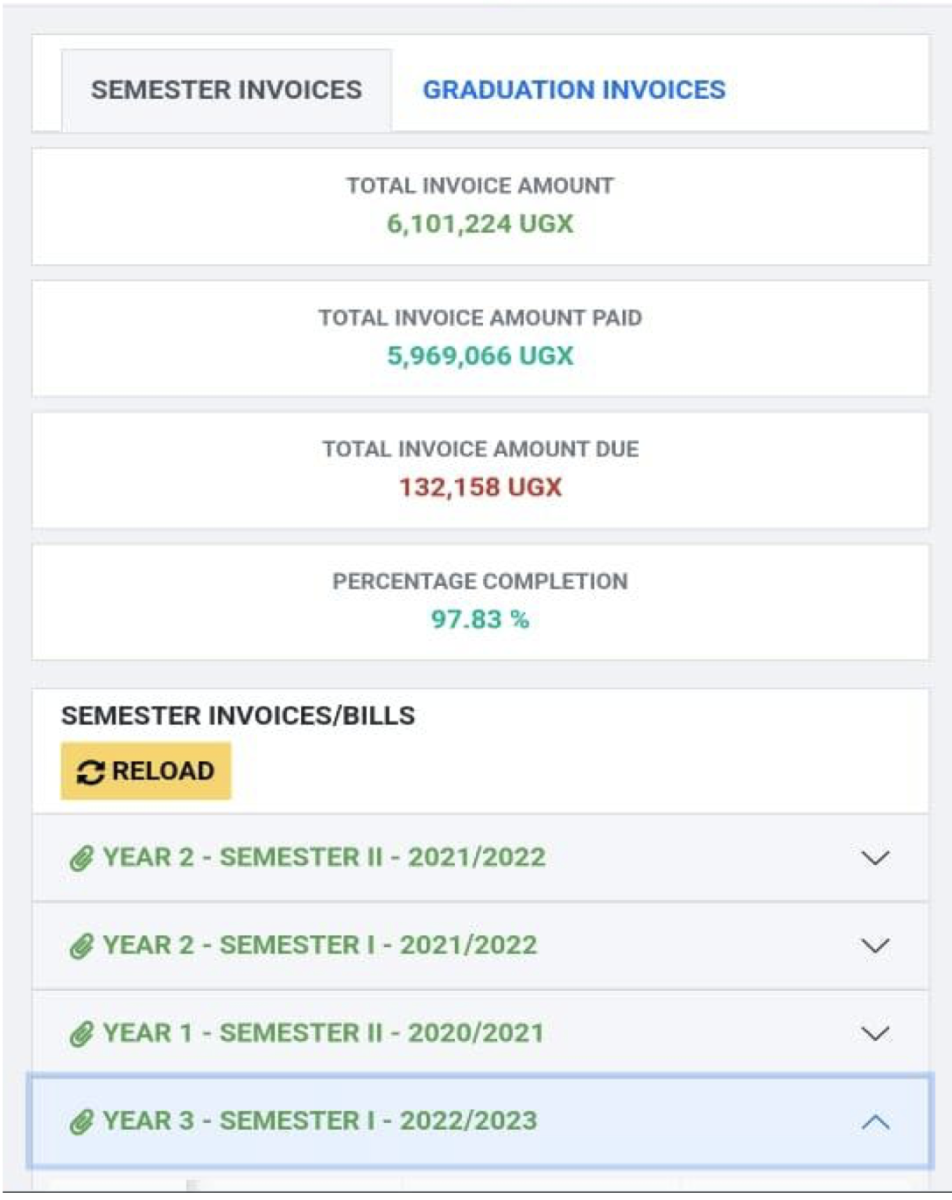
1. Navigate to the invoice that is not 100% cleared.
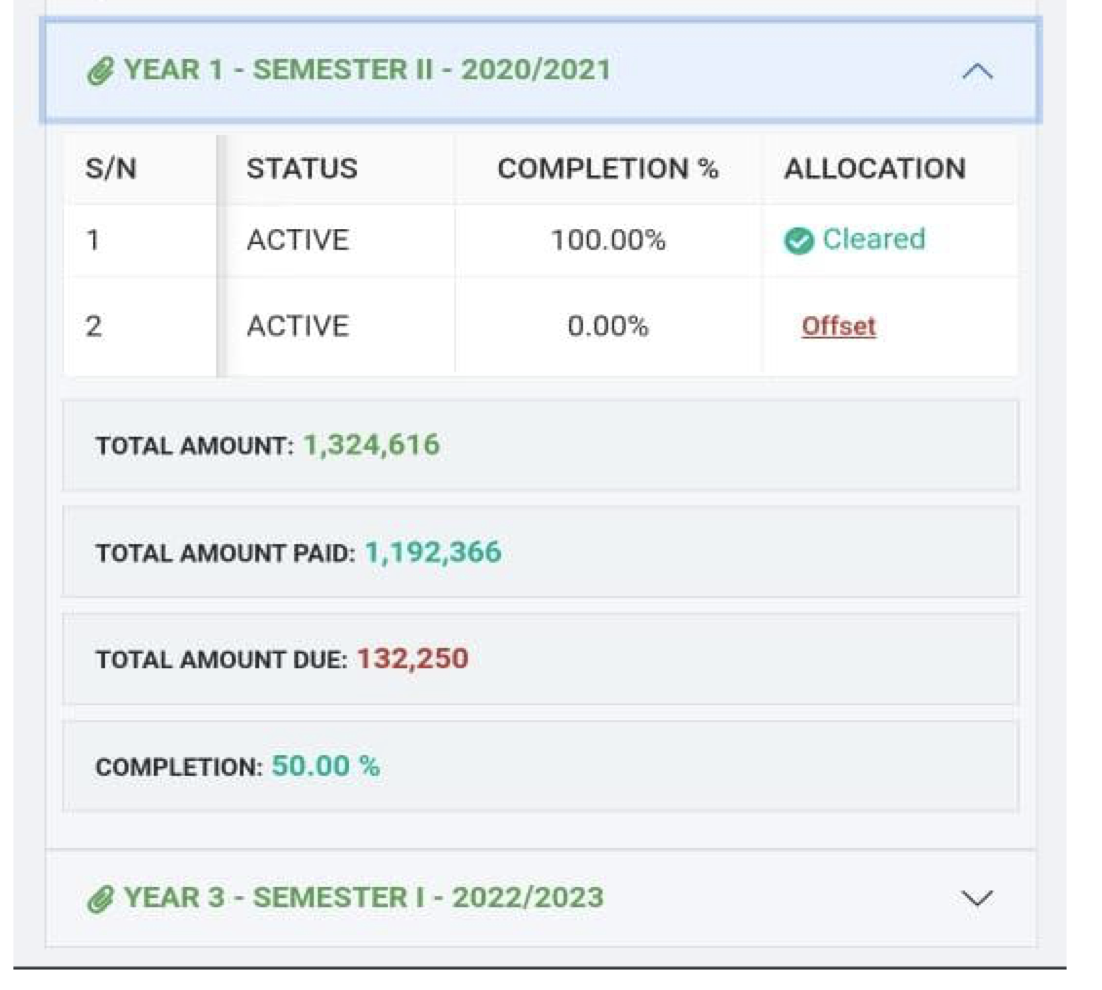
2. Click on the “Offset” button.
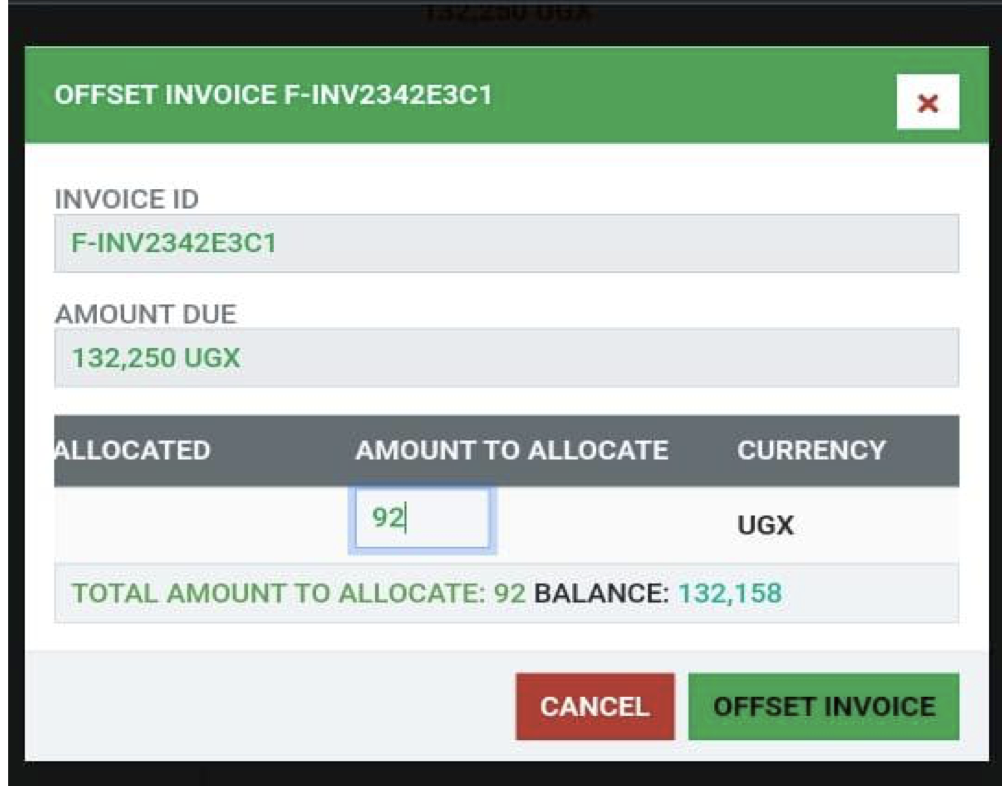
3. Manually enter the amount of money to allocate and click on the “OFFSET INVOICE” button
Category:
File Upload:
